Between classes and a tight budget, students default to takeout. PrepMate plans the week instead.
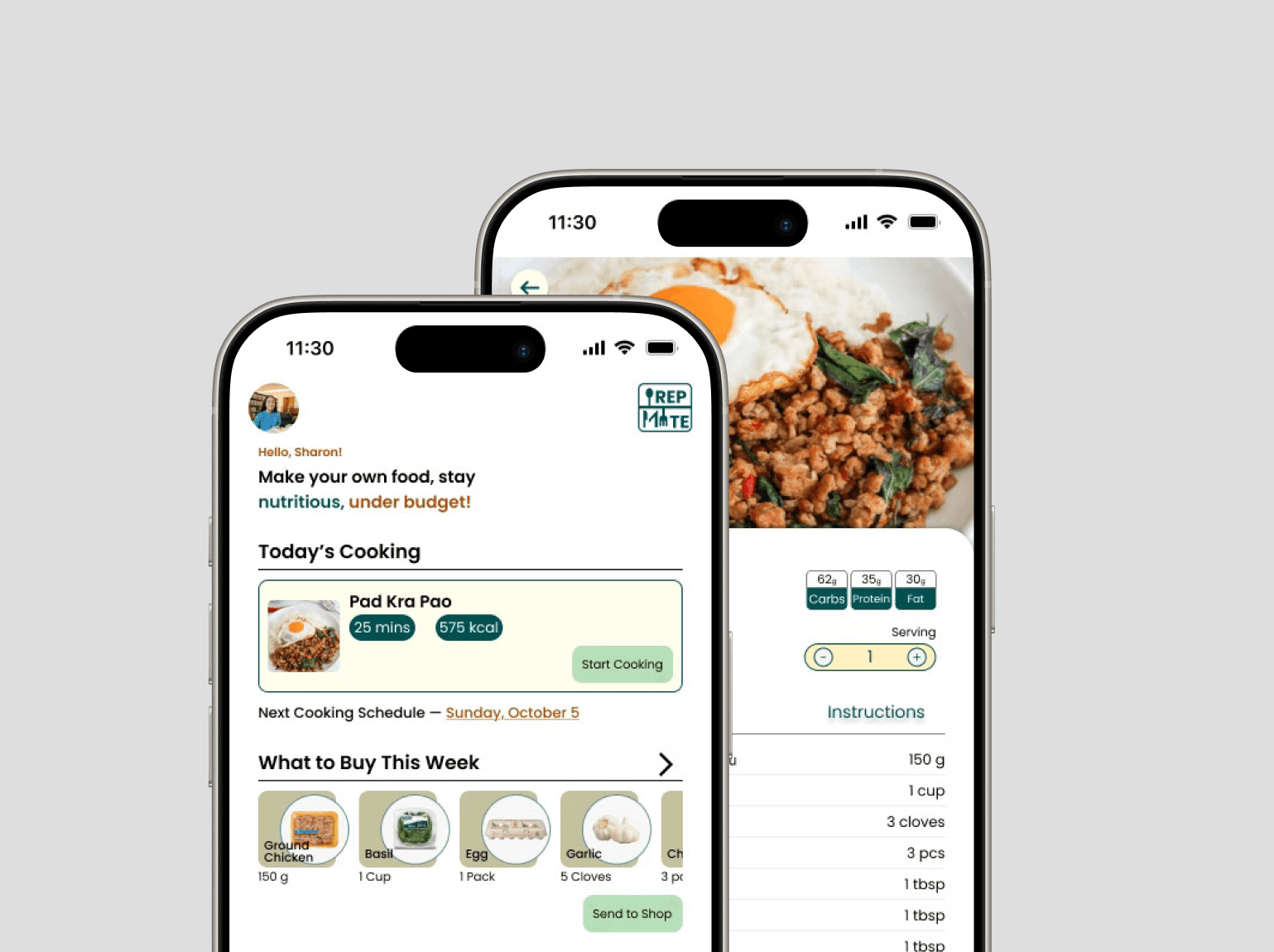
PrepMate is a meal planning app that helps busy college students cook smarter, not harder. It simplifies weekly prep through personalized scheduling, recipe discovery, and auto-generated grocery lists, so eating well takes less time and money.
Problem
Students juggling academics, work, and a budget fall back on takeout or the same few meals, with little time or equipment to cook.
Solution
PrepMate builds the week: smart scheduling, personalized recipes, auto-generated grocery lists, and checkout with third-party supermarkets.
UX/UI Designer (Individual)
FigmaSept 2025 - Nov 2025Mobile App
five courses, one trip
Let’s Break My Process Down
Research
The research explored how college students manage meal preparation amid packed academic and social schedules. Findings revealed a strong need for a tool that simplifies planning, introduces variety, and reduces the stress of daily cooking decisions. Students wanted a system that helps them save time, maintain healthy habits, and stay within budget, without sacrificing taste or comfort.
User Interviews
To understand student behaviors, pain points, and motivations related to meal planning and cooking routines.
Interview Insights
- Students balance packed schedules with flexible eating habits.
- Some students skip or delay breakfast, while others meal-prep to save time during busy class days.
- Meal choices center on affordable, versatile ingredients valued for taste, nutrition, and easy preparation.
- When workloads spike, students often put convenience first, turning to fast food or repeating the same meals, though they still try to aim for balanced diets with vegetables and proteins.
- Meal plays an important emotional role, providing comfort and cultural connection to family and home.
- Many desire more variety and freshness in their diets but feel limited by time, energy, or equipment.
- Eating out is treated as a social or occasional treat, helping students manage both cost and enjoyment.
- Cooking can be a source of stress relief and enjoyment, particularly when experimenting with different cuisines.
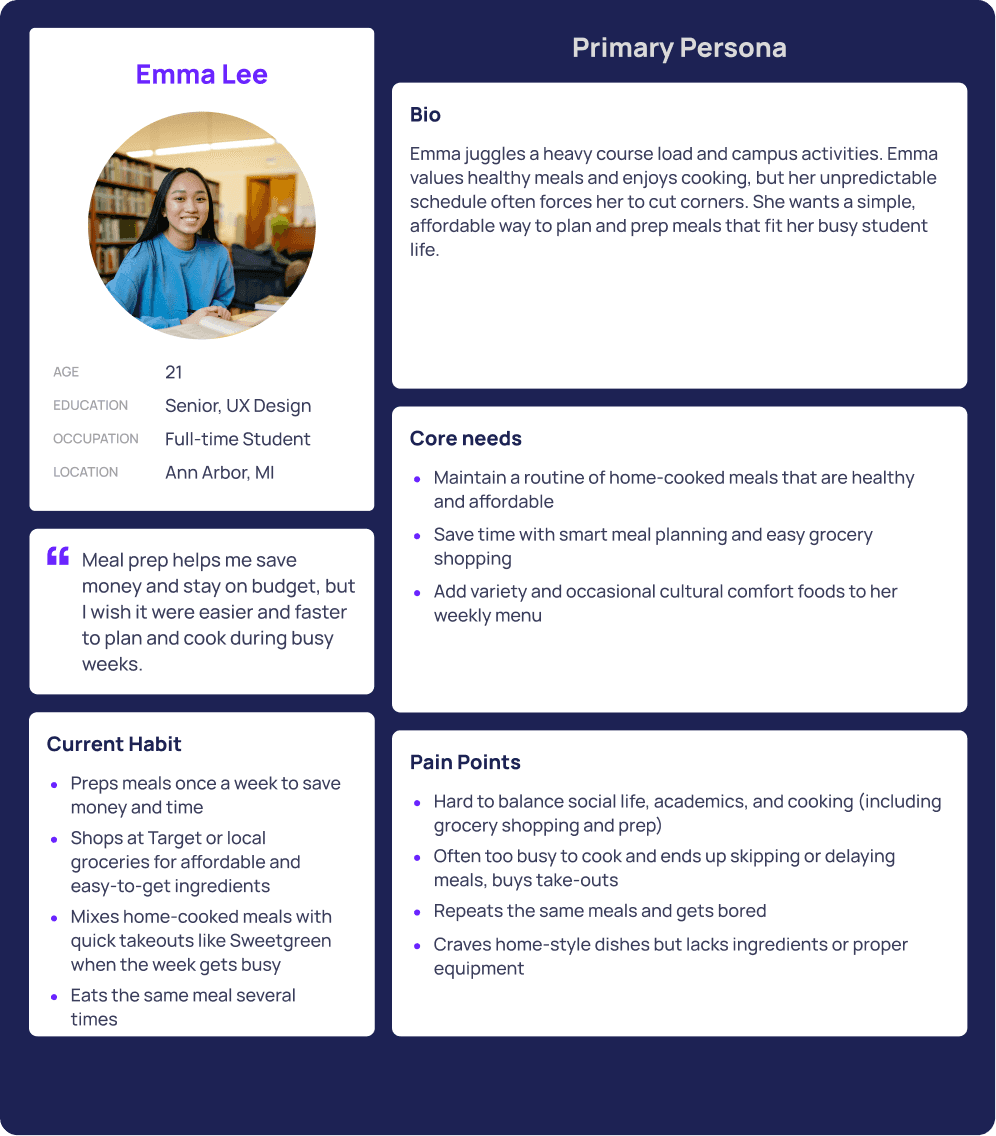
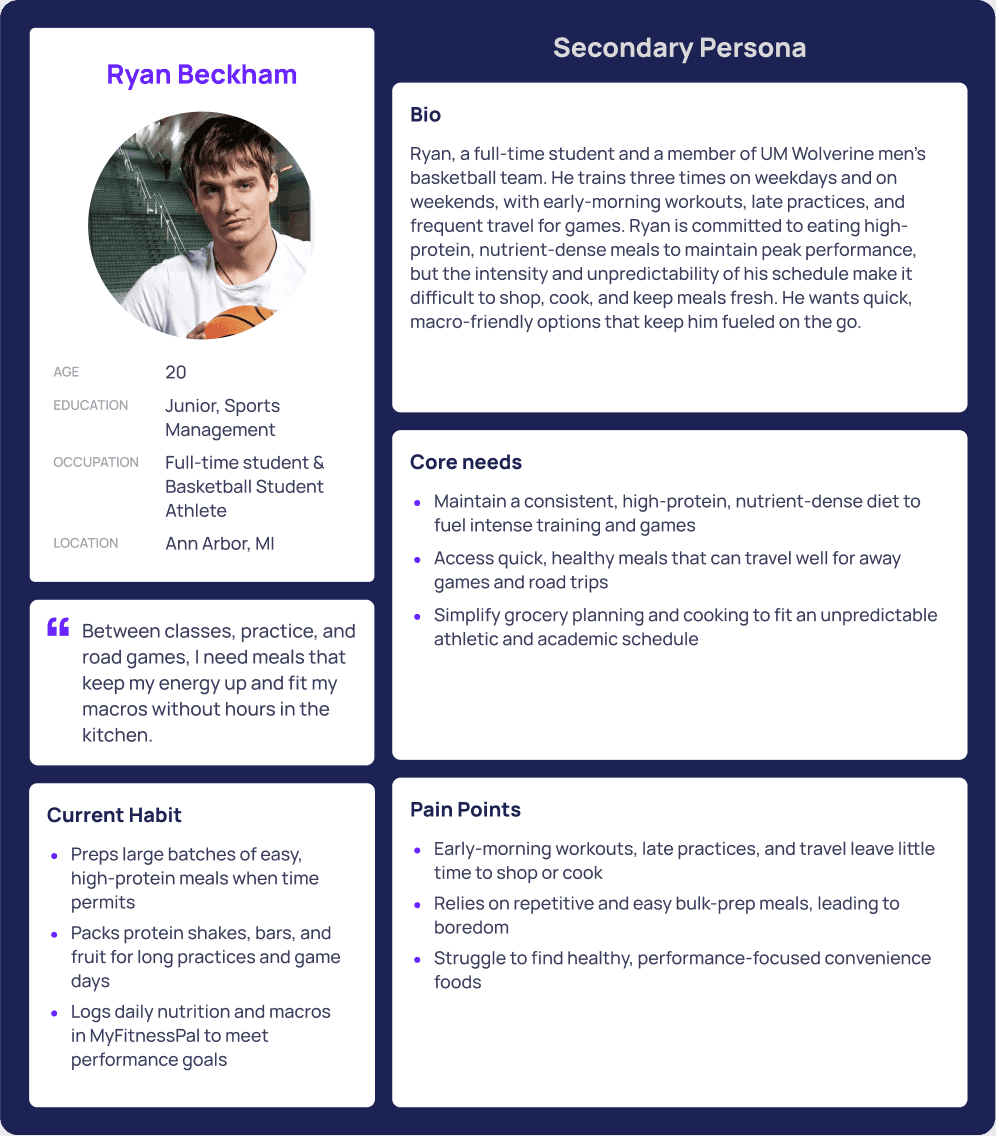
Persona Development
To capture key user segments like busy students and student-athletes, highlighting their distinct goals and constraints.
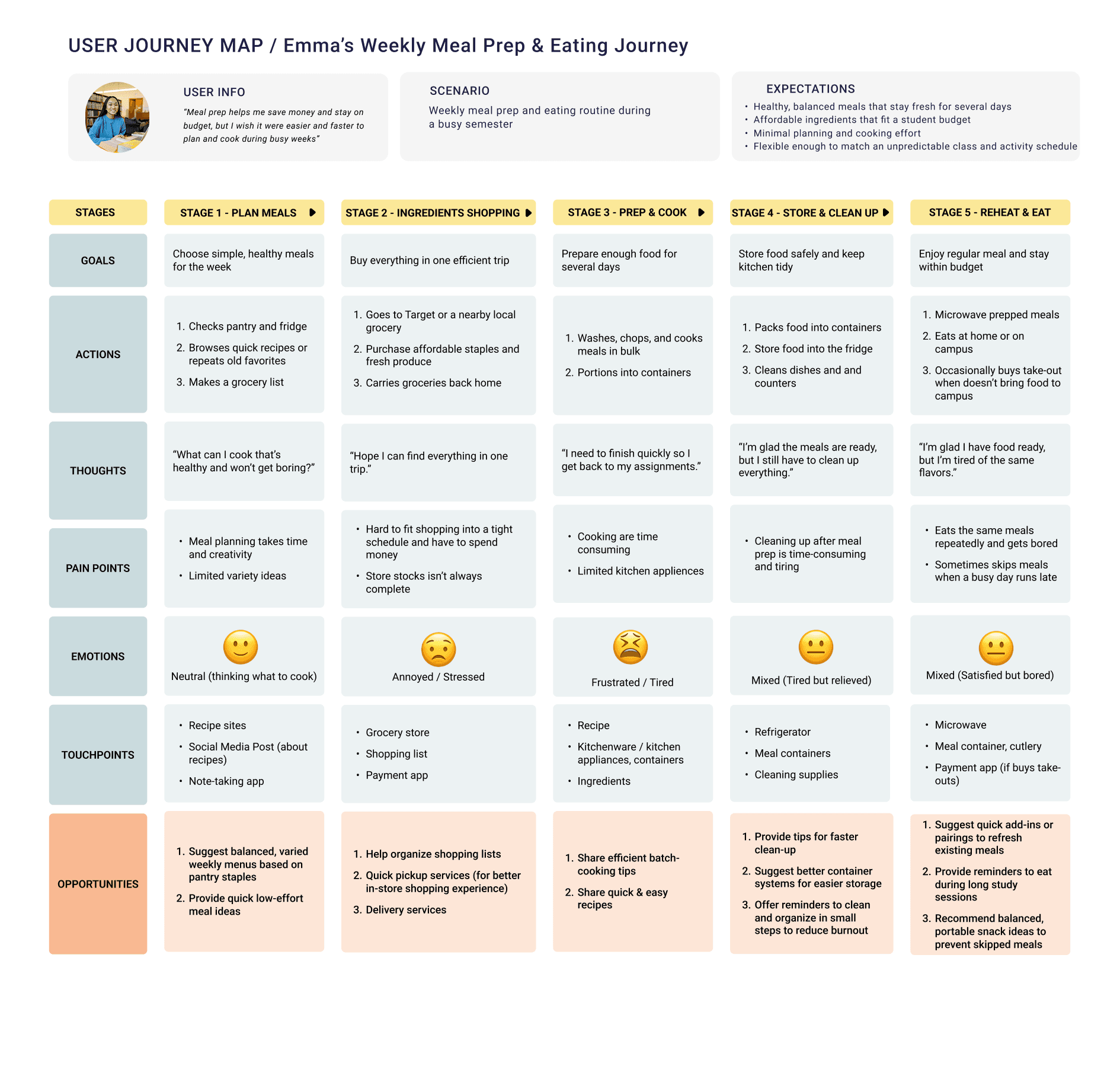
Journey Mapping
To visualize the meal prep process from planning to cooking, uncovering friction points and opportunities for improvement.
Key Findings
Three themes shaped what PrepMate needed to solve for students.
Time Management
Students struggled to balance cooking, studying, and social commitments. They desired an easier way to organize their weekly meal prep and grocery planning.
Variety and Engagement
Repetitive meals led to boredom and reduced motivation. Students wanted quick access to new, budget-friendly recipes that fit their taste and dietary goals.
Accessibility and Convenience
Many relied on limited kitchen tools or had unpredictable schedules. They needed a simple, mobile-first app that streamlines meal prep, grocery shopping, and recipe discovery.
Design
The design concept focused on creating a seamless and motivating experience that helps students plan, prep, and cook efficiently. PrepMate was designed to simplify meal organization while keeping the process engaging and visually clean.
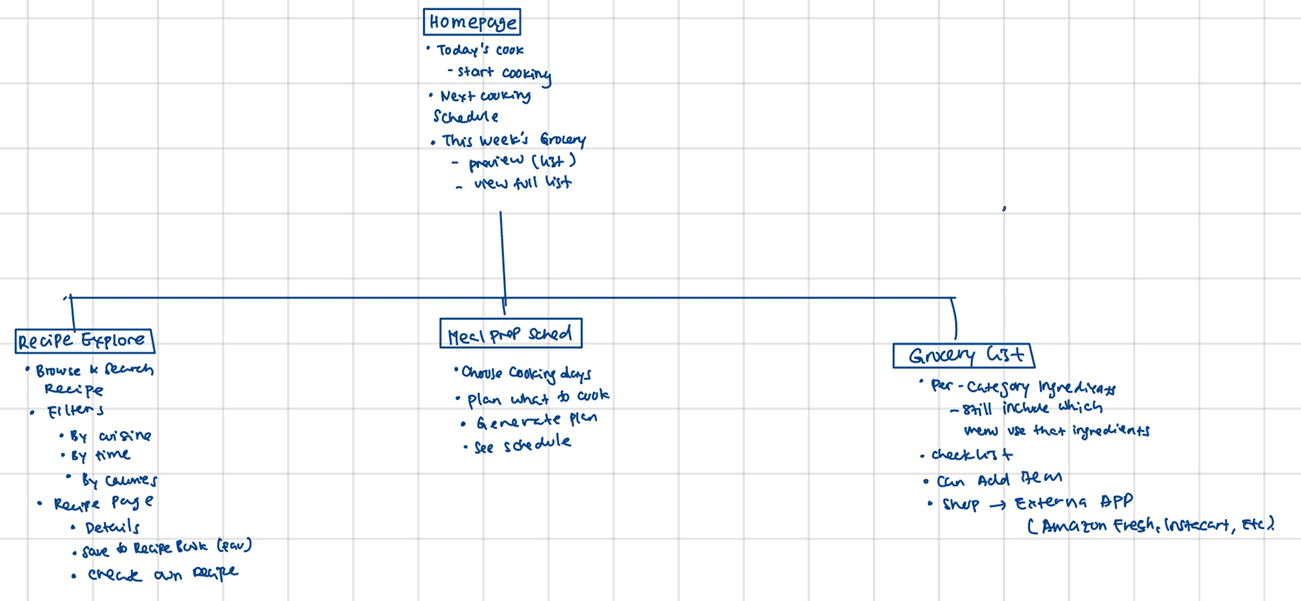
Site Mapping
Outlined the core user flows for planning meals, exploring recipes, and generating grocery lists to ensure intuitive navigation.
Sketching
Explored layout ideas for the homepage, weekly schedule view, and recipe detail screens.
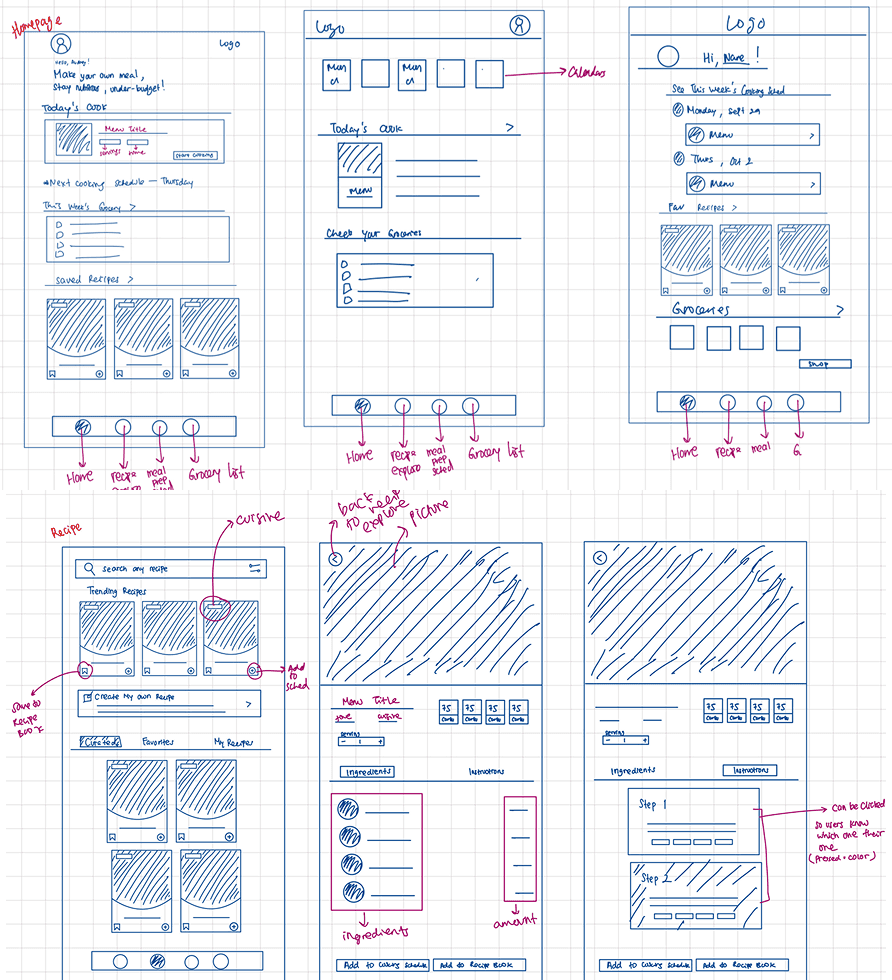
Wireframing
Translated sketches into low-fidelity screens to visualize hierarchy, interactions, and feature placement.
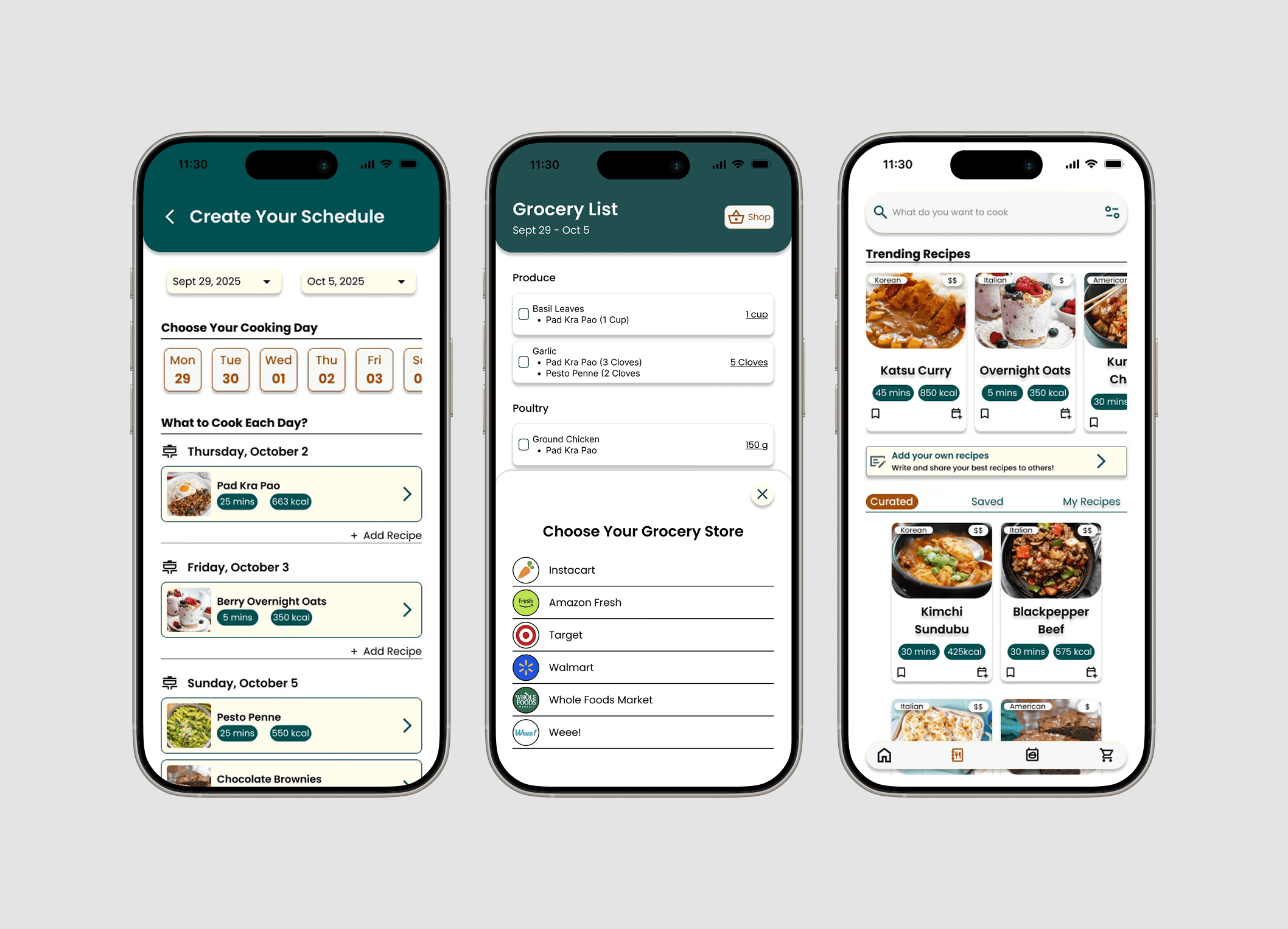
High-Fidelity Prototyping
Built a polished prototype in Figma to demonstrate real user flows such as scheduling, grocery checkout, and recipe exploration.
Refinement
Incorporated usability feedback to improve accessibility, visual hierarchy, and clarity in the scheduling and recipe features.
Results
Key Contributions & Design Decisions
Smart Meal Planning System
Designed a personalized scheduling feature that helps students plan meals around classes and commitments, reducing the stress of daily decision-making.
Automated Grocery Lists
Built a dynamic grocery list generator that syncs directly with planned recipes and allows in-app checkout through third-party supermarkets for convenience and accessibility.
Recipe Exploration Hub
Introduced a discovery section for budget-friendly, diverse recipes that cater to dietary preferences, cultural comfort foods, and weekly inspiration.
Visual Consistency & Clarity
Refined the app’s visual hierarchy, color system, and layout to create an intuitive, student-friendly interface that balances simplicity with motivation.
Reflection
What I learn..
Two lessons from designing a meal planning app around real student routines.
User Needs Go Beyond Functionality
Students didn’t just want tools, they wanted comfort, efficiency, and support around food and routines.
Small Details Impact Engagement
Elements like prep reminders, visual meal variety, and grocery list formatting had a bigger impact than expected.